Publishing
Approve it once. Have it go out on time.
Connect your own Buffer account and the approved posts you schedule for LinkedIn, X and Substack Notes go out at the times you choose, in your time zone, even at 3 a.m. No Buffer? Scheduling puts each post on your calendar as a copy-and-post item.
Already have an account? Log in
Writing is half the job. The other half is remembering to post, at a good time, on each channel, every week.
How it works
01
Approve the post.
Unapproved posts can't be scheduled. Change the text after approval and it goes back for review in Studio. If Buffer already has the post, delete it in Buffer to stop the old version.

02
Schedule it.
Pick a time (or, in a campaign, let its schedule set it; campaigns are turned on with you). With Buffer connected, it goes out through your own Buffer account. Without Buffer, it goes on your calendar as a copy-and-post item that you post yourself and mark posted.
S2 · STEP 16:10Product screenshot to come.
03
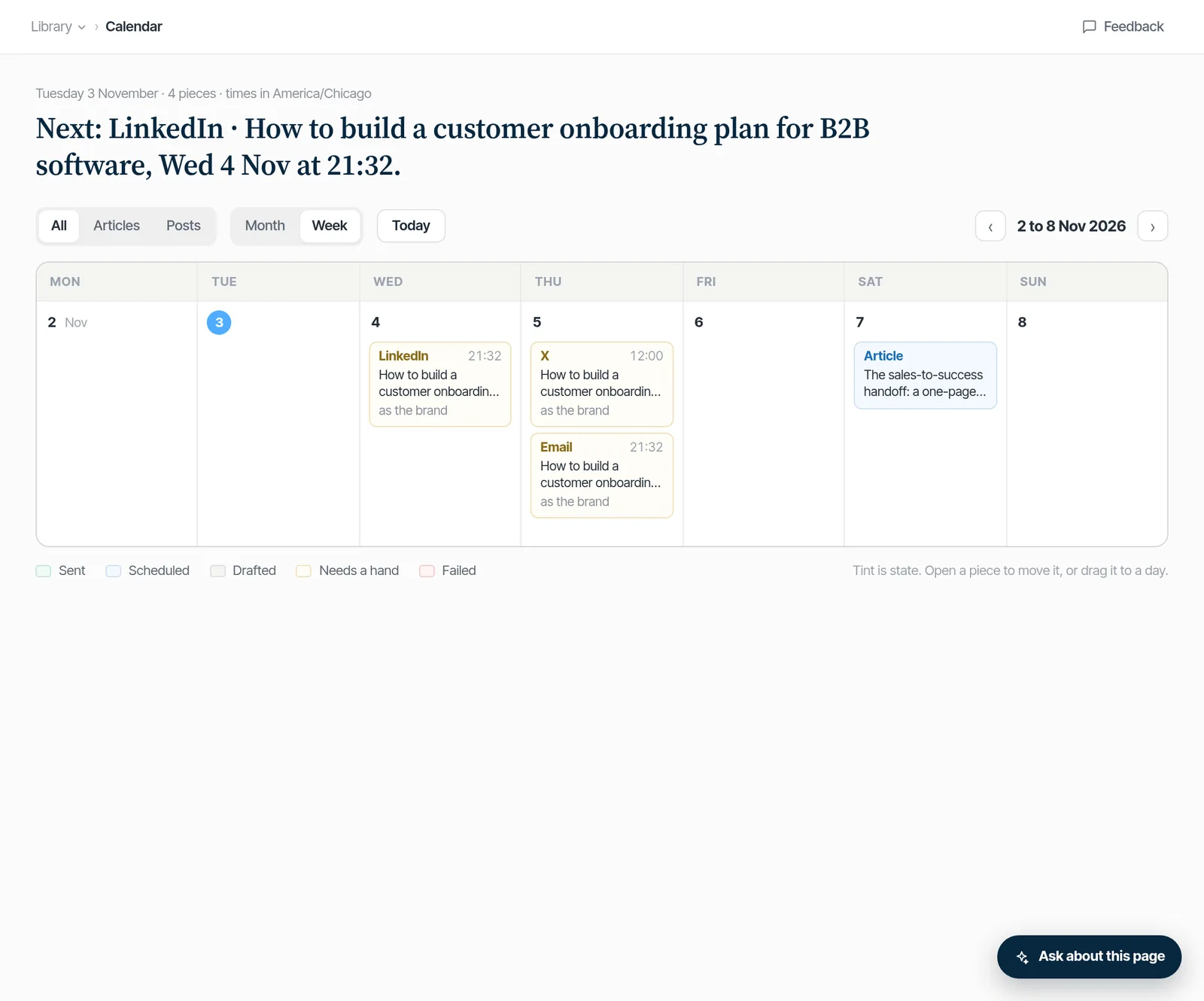
See what's scheduled on the calendar.
Every post you've scheduled, through Buffer or as a copy-and-post item, in one place. Approving a post doesn't put it on the calendar; scheduling does.
Stay consistent without the reminders in your head.
| Channel | With your Buffer connected | Without Buffer |
|---|---|---|
| Goes out through your Buffer at the scheduled time | Copy, post it yourself, mark it posted | |
| X | Goes out through your Buffer (written to fit X's 280-character limit) | Copy, post it yourself, mark it posted |
| Substack Notes | Goes out through your Buffer | Copy, post it yourself, mark it posted |
| Substack (long-form posts) | Ready to copy and post | Ready to copy and post |
| Ready to copy and send | Ready to copy and send | |
| Your site (articles, GitHub pull request) | Coming soon | |
Proof
- It uses your own Buffer, not ours. Your token is encrypted and used on the server.
- Without Buffer, every post is ready to copy, and you mark it posted when it's up.